On-Premise vs Cloud: The Honest Comparison
Cloud Computing | 5 min read
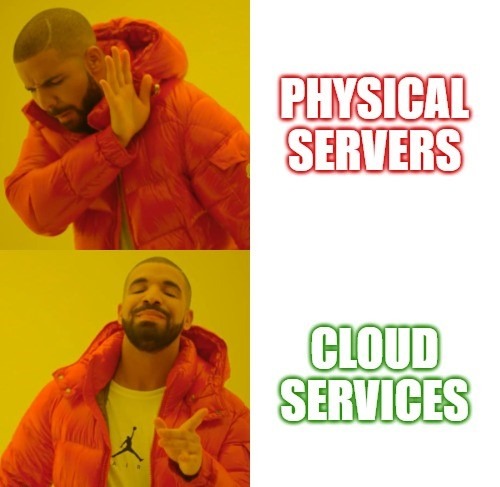
Should you keep your servers in-house or move to the cloud? The answer isn’t as simple as vendors want you to believe. Here’s an objective breakdown of what each option actually means for your business.
Not sure which is right for you? We help North West businesses make the right cloud decisions. 11 years Azure experience, honest advice.
Let’s talk →1. Cost: The Real Numbers
On-Premise
- Capital expenditure (CapEx): Large upfront investment in hardware, software licenses, and infrastructure. A decent server setup starts at £10-15k.
- Ongoing costs: Maintenance, upgrades, electricity (£200-400/month), cooling, and potentially dedicated IT staff.
- Predictability: Fixed costs can be easier to budget, but you often end up overprovisioning “just in case.”
Cloud
- Operational expenditure (OpEx): Pay-as-you-go model based on actual usage. No upfront capital required.
- Scalability: Scale up during busy periods, scale down when quiet. Only pay for what you use.
- No hardware costs: No servers to buy, no warranties to track, no end-of-life replacements.
The reality: Cloud isn’t automatically cheaper. Predictable 24/7 workloads can cost more in cloud. Variable workloads usually save money. Most businesses find cloud works out similar or slightly cheaper when you factor in hidden on-prem costs like electricity, maintenance time, and risk.
2. Scalability and Flexibility
On-Premise
- Limited scalability: Need more capacity? Buy more hardware. Wait 4-6 weeks for delivery. Find space for it.
- Infrastructure constraints: Limited by physical space, power capacity, and cooling.
Cloud
- Instant scalability: Add resources in minutes, not months. Remove them just as quickly.
- Global reach: Deploy services in multiple regions for redundancy or to serve international clients.
3. Security and Compliance
On-Premise
- Physical control: You control who walks into the server room.
- Customisation: Tailor security exactly to your requirements.
- Your responsibility: Patching, monitoring, incident response. All on you.
Cloud
- Enterprise security: Providers like Microsoft invest billions in security. More than you ever could.
- Compliance certifications: ISO 27001, SOC 2, GDPR compliance built in.
- Shared responsibility: They secure the platform. You secure your configuration. Misconfigured cloud is still your problem.
The reality: Properly configured cloud is typically more secure than most on-premise setups. The key word is “properly configured.”
Azure Health Check
Already on Azure? We review your setup for unused resources, misconfigured services, and licence waste. Most businesses we assess have quick wins worth 20-30% of their monthly bill.
Book Your Health Check4. Maintenance and Updates
On-Premise
- Manual updates: Your IT team patches servers, updates software, manages backups.
- Downtime risk: Updates often require scheduled downtime. Miss a patch and you’re vulnerable.
Cloud
- Automatic updates: Platform updates handled by the provider, often with zero downtime.
- Continuous monitoring: 24/7 monitoring for issues and threats. Not reliant on someone remembering to check.
5. Accessibility and Remote Work
On-Premise
- Network limitations: Access typically limited to the office network.
- VPN dependency: Remote access requires VPNs, which can be slow and frustrating.
Cloud
- Work from anywhere: Access resources from any location with internet.
- Collaboration built in: Real-time collaboration tools, shared documents, Teams integration.
The Honest Answer: It Depends
Anyone who tells you cloud is always better (or always worse) is selling something.
Cloud makes sense when:
- You need remote access
- Workloads are variable
- You want to avoid capital expenditure
- You don’t have dedicated IT staff
- Disaster recovery matters
On-premise makes sense when:
- You have specific compliance requirements
- Workloads are predictable 24/7
- You already own hardware with years of life left
- Internet connectivity is unreliable
- You have IT staff who can manage it properly
Hybrid (the reality for most): Keep some things local, move some to cloud. Email and collaboration in Microsoft 365. Line-of-business apps wherever makes sense. Backup to cloud for disaster recovery.
Need Help Deciding?
We help North West businesses figure out the right mix of cloud and on-premise. No agenda, just honest advice based on what actually makes sense for your situation.