
How Long Does a Windows Server 2016 Migration Actually Take?
How long does a Windows Server 2016 migration actually take?
Windows Server 2016 stops getting security updates on 12 January 2027. That sounds a long way off. Then you sit down and work out how long a server migration actually takes, and the deadline gets a lot closer very quickly.
The honest answer is three to six months, start to finish, assuming nothing surprises you along the way. Most migrations do surprise you along the way. If you want the setup you move to be right rather than rushed, the time to start is now, while the deadline is still a planning date and not a panic.
Want to know where you actually stand before you commit to anything? Book a free 15-minute chat and we will help you map where your servers are and what your real options cost.

The four stages of a server migration, and how long each one really takes
A migration is not one job. It is four, and they run in sequence. Here is where the time goes.
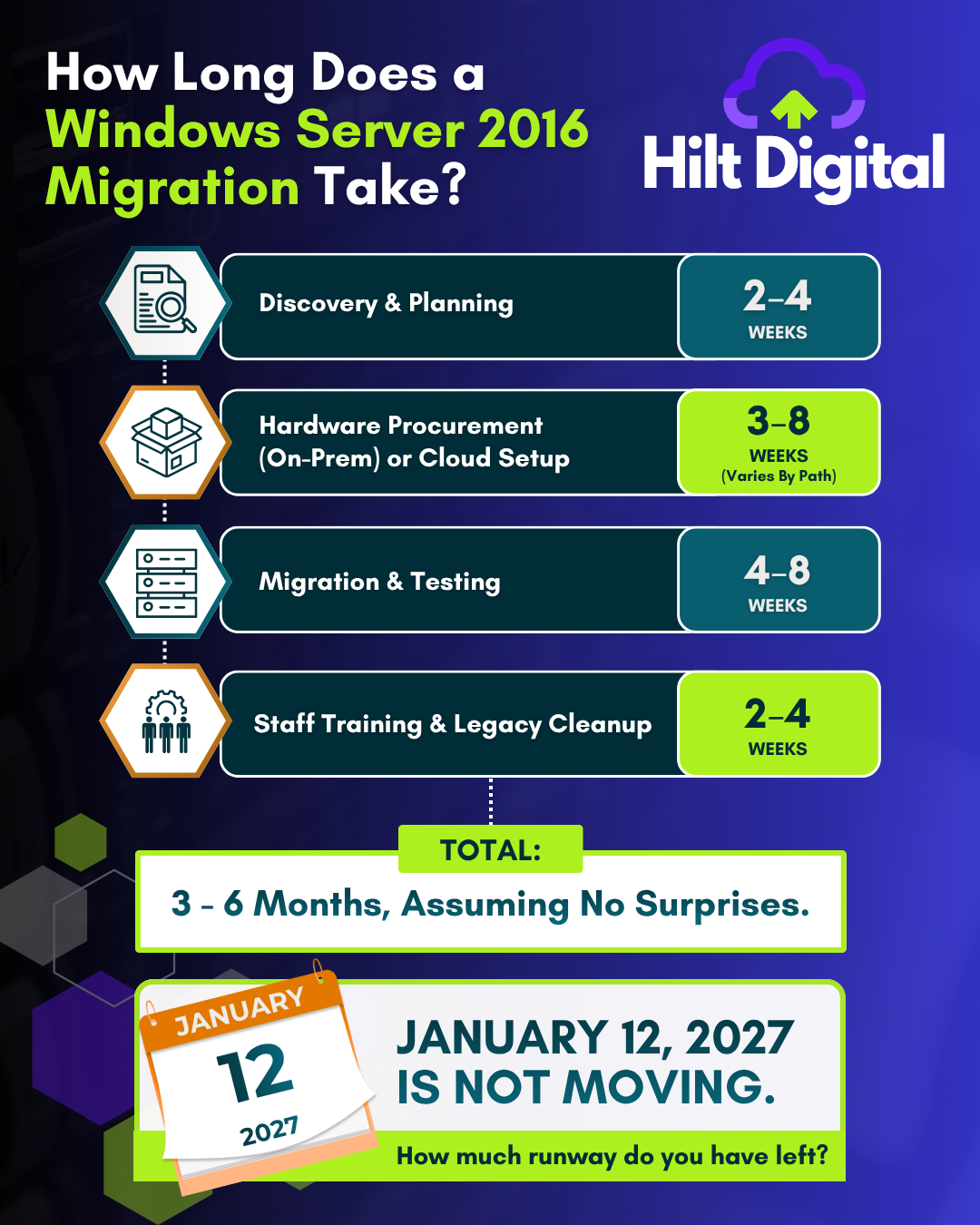
1. Discovery: 2 to 4 weeks
Before anyone touches anything, you need to know exactly what you are running. What lives on that server, which workloads are business critical, what depends on what, and which bits nobody has actually used in three years. This is the stage that gets skipped, and skipping it is why migrations go wrong. Done properly, it takes two to four weeks and it saves you far more than that later.
2. Hardware procurement or cloud setup: 3 to 8 weeks
Once you know what you need, you have to get it. If the answer is a new server, you are into procurement lead times, and hardware does not always ship the week you order it. If the answer is Azure or a modern cloud setup, you are into planning a migration to Azure, setting up identity and access, and getting the foundations right. Either way, this is where waiting on other people can add weeks you did not plan for.
3. Migration and testing: 4 to 8 weeks
This is the actual move. Data, applications, permissions, integrations, all of it, transferred and then tested until you are confident nothing broke. Testing is not optional and it is not quick. This is the longest stage for a reason: it is the one where getting it wrong costs you real downtime.
4. Training and legacy cleanup: 2 to 4 weeks
The job is not finished when the new system is live. Your team needs to know how to use it, and the old environment needs decommissioning safely rather than left running as a security liability. This tail end gets forgotten in the planning and then eats into the following month.
Not sure what you are actually running?
The discovery stage is exactly what a Server Action Plan gives you: a full picture of your server estate, an architect’s recommendation for every workload, and the plain-English maths on staying, extended support, or Azure. You walk away with a roadmap you own, whoever ends up doing the work.
Add it up: three to six months, if everything goes to plan
Put the four stages together and the arithmetic is simple. Two to four weeks of discovery, three to eight weeks of procurement or cloud setup, four to eight weeks of migration and testing, two to four weeks of training and cleanup. That is roughly three to six months, and that is the good version, where nothing surprises you.
One honest caveat on that range: it is calibrated for a real estate of several servers with line-of-business applications behind them. If you are running a single server doing file shares and one or two applications, the whole thing is usually a matter of weeks, not months. The three-to-six-month figure is where a larger, multi-server estate lands. What does not change with size is the part you cannot control: hardware lead times and the surprises below still set the pace, which is exactly why starting early pays off whatever you are running. The stages also overlap in practice, so the real elapsed time is often shorter than adding the numbers up suggests.
Now look at the calendar. The Server 2016 deadline is 12 January 2027. Count back six months and you are already inside the window where a smooth, unhurried migration needs to begin. Start now and this is a planned project you control. Leave it until the autumn and you are choosing between a rushed job and a missed deadline, with a security clock ticking either way.
“Assuming no surprises” is doing a lot of work in that sentence
The three-to-six-month figure assumes the best case. In practice, the surprises are the norm, not the exception:
- An application nobody documented turns out to be pinned to the old server and cannot simply be moved.
- A supplier or line-of-business tool that only supports the version you are trying to leave behind.
- Hardware lead times that slip, right when you have no slack left in the schedule.
- Data or permissions that turn out to be messier than anyone expected once you actually look.
- A workload that should never have been on a server at all, which changes the whole plan once you spot it.
None of these are disasters if you find them in the discovery stage, three months out, with time to deal with them. All of them become emergencies if you find them in December with the deadline on top of you. The value of starting early is not the extra weeks. It is the room to be surprised and still be fine.
The question worth asking before you migrate anything
A migration is not just a like-for-like swap. It is the one moment where it makes sense to ask a better question: what actually still needs to be a server at all? Some of what lives on that box belongs in the cloud now. Some of it justifies a modern server. Some has not been needed in years and can quietly retire. You only find that out by looking properly first, before anyone talks about buying anything. Done well, this is the migration that leaves your business better set up than it was, not just patched to the next deadline.
Where to start
You do not need to commit to a project to get clarity. Start by finding out where you actually stand, then decide what to do with a real plan in front of you rather than a deadline behind you.
Get your Server 2016 plan while there is still time to do it calmly
Start with a free 15-minute chat to understand where your servers stand and what your real options cost. If it is worth going further, a Server Action Plan gives you the full picture: what to keep, what to move, what to retire, and in what order. Fixed price, no per-server charging, roadmap in your hands within 10 working days.
No obligation. No scare tactics. Just a clear picture of where you stand and how long you have.
Book a free 15-minute chat | Call 0151 452 3060 | [email protected]
Weighing this up for your own business?
We help UK organisations get their cloud, Microsoft 365 and security done properly, without the guesswork or the surprise bills. Independent advice, nothing to resell.
Book a 30-minute scoping call and we will look at where you are, flag the gaps, and answer your questions honestly. No pitch, just straight advice.