
Microsoft outage: what happened, and what a small business should do now
Short answer: the Microsoft outage that started on Thursday afternoon took Outlook and Microsoft 365 email down for businesses across the UK and at least 74 countries, and it still wasn’t fixed on Friday morning. Microsoft says there’s no evidence it was a cyber attack. Microsoft describes email as delayed, and says it’s extended its email timeout window to 48 hours to preserve delayed messages. If your office runs on Microsoft 365, here’s what happened, what to do while it’s down, and the three things worth sorting out before the next one.
Stuck right now? Ring 0151 452 3060 and a person picks up. We’ll tell you what’s Microsoft’s problem, what isn’t, and what’s worth doing while you wait.
What happened in the Microsoft outage
At 16:17 UK time on Thursday 12 November, Microsoft opened an incident for Exchange Online, the service behind Microsoft 365 email: users couldn’t get into their mailboxes. Just after 18:00 it opened a second, wider incident for the other Microsoft 365 services that depend on Exchange. UK reports on Downdetector jumped tenfold at 17:43, according to CNN, and worldwide reports for Outlook passed 129,000 around 6pm.
Microsoft first said the problem was in the Americas, then widened that to users “in any region”. Every way of reading Microsoft 365 email was hit: Outlook on the web, the desktop app and the phone app. So if you spent Thursday evening switching between them, that’s why none of them worked.
The fix took longer than Microsoft expected. At about 10pm on Thursday its status account said: “actions taken thus far have not provided the anticipated relief. We found a core process on affected servers is becoming overwhelmed, causing capacity loss.” Overnight, The Register reported that servers Microsoft brought back could become unresponsive again once traffic hit them, and a partial recovery in the early hours didn’t hold. By 8am on Friday Microsoft was reporting “positive results for service stability”, rolling the fix out region by region.
Was the Microsoft outage a cyber attack?
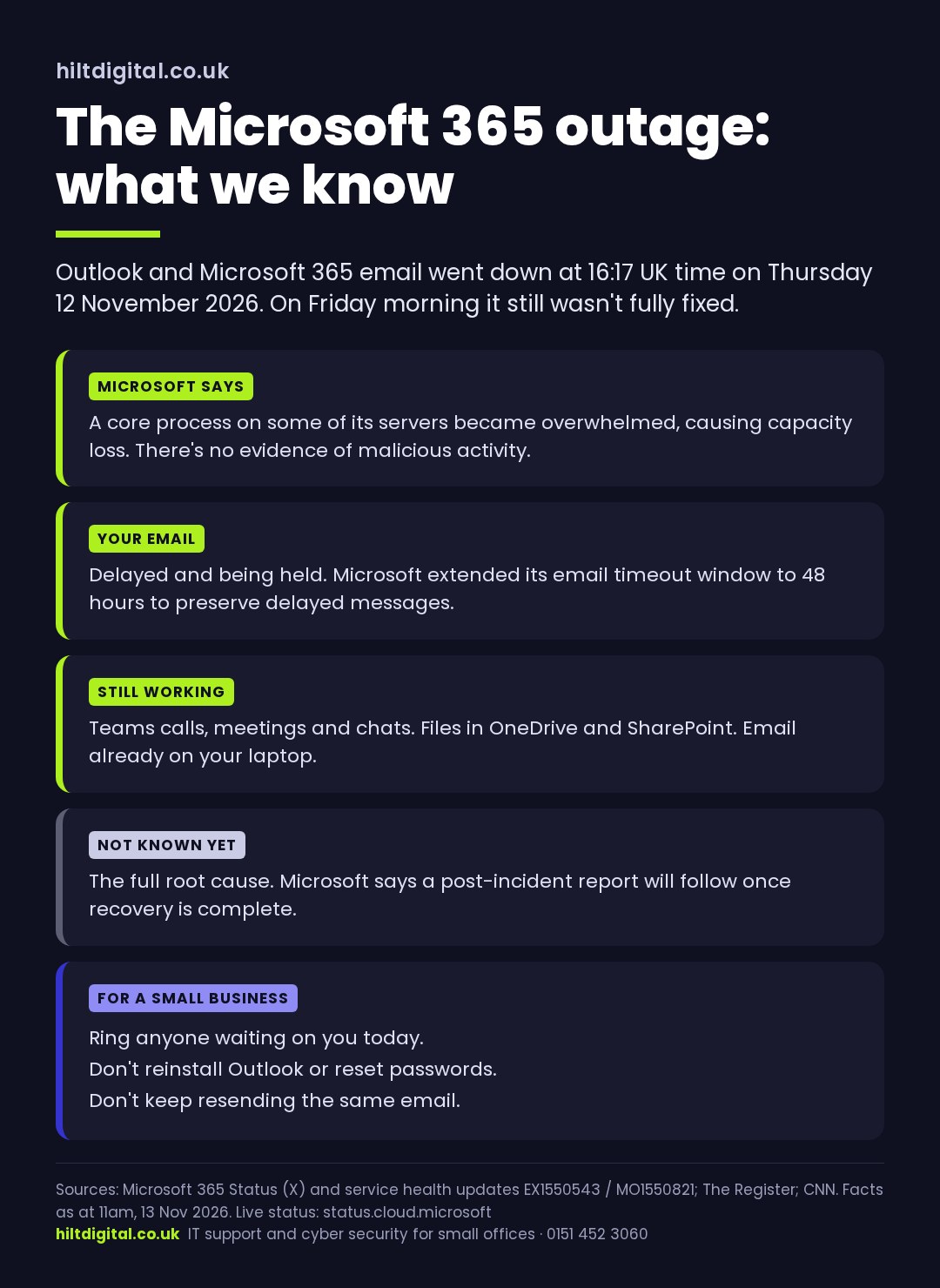
No evidence of one. Microsoft said early on Friday: “We can confirm that there is no indication this is the result of malicious activity.” Charles Lamanna, a Microsoft executive vice president, said the same on Thursday night. Microsoft hasn’t published a root cause yet. It’s said it’ll publish a full post-incident report once recovery’s complete.
That matters for what you do next. There’s no reason to reset everyone’s passwords because of this, and doing it in the middle of an outage just adds a second problem when people can’t sign back in.
Is my email lost?
Microsoft’s wording is that email is delayed. On Friday morning it told admins it had extended “the email timeout window” to 48 hours “to preserve delayed messages”, as relayed from its service health updates. That means mail sent to you during the outage is being held while the service recovers, though Microsoft hasn’t said outright that nothing will be lost.
Two practical points. Don’t keep resending the same email: if the first copy’s only delayed, you’ll end up with duplicates and confused customers. And if something’s urgent and has a deadline today, pick up the phone.
Microsoft outage today: what to do while it’s down
- Use what’s already on your laptop. Desktop Outlook normally keeps a copy of your mailbox on the computer. You can still search and read older email, and write replies that’ll go once the service is back.
- Teams calls should still work. Microsoft says joining calls, meetings, group chats and channel messages weren’t affected. Booking new meetings and sending calendar invites might fail.
- Your files should still open. SharePoint and OneDrive files weren’t on Microsoft’s list. Some features that lean on email were.
- Don’t reinstall Outlook or delete anything. It’s not your computer, and rebuilding it won’t fix Microsoft’s servers.
- Tell people another way. A text or a phone call to the customers who are expecting something from you today, and a line on your website or Google Business Profile if they normally email you.
The UK’s public sector did the same thing. GP practices called the outage “very disruptive”, police forces asked people to phone rather than use online forms, and Parliament said “alternative communication arrangements are in place”, HuffPost UK reported. For the full version of this list, see how to keep your business running when Microsoft 365 goes down.
When Microsoft goes down, someone should ring you
Nobody can fix Microsoft’s servers for them. What managed IT support does on a day like this is tell your team what’s going on, by phone and text rather than email, before they start reinstalling things, keep track of Microsoft’s updates so you don’t have to, and check everything’s back to normal afterwards. It’s part of our managed IT support at £55 a person a month.
Three things to sort before the next Microsoft outage
This isn’t the first one. Microsoft’s Azure Front Door failure on 29 October 2025 took services down for around eight hours, and a Microsoft 365 outage in January 2026 lasted nearly ten. Big cloud services are far more reliable than the server in the cupboard they replaced, but they do go down, and they go down for everybody at once.
1. A way to reach your team and customers that isn’t Microsoft
If your staff list, your customer contacts and your out-of-hours numbers all live in Outlook, an Outlook outage takes them with it. Keep a printed or phone-based list of everyone’s mobile number, and agree where the “email’s down” message goes: a WhatsApp group, a text, a phone tree. It’s ten minutes’ work.
2. Know who claims the money back
Microsoft 365 comes with a financially backed uptime commitment, and when Microsoft misses it there are service credits. They aren’t automatic. Microsoft’s own guide says claims for Microsoft 365 have to be made within one month of the end of the billing month the outage happened in, with the incident number and evidence of who was affected. If you buy your licences through an IT provider or reseller, as most small businesses do, the claim has to go in through the Microsoft partner you buy from, not from you directly. Microsoft’s credit request guidance spells it out. Ask yours whether they’re filing one.
3. A one-page plan for “email’s down”
Who decides you’re on the backup plan? Who tells customers? What happens to anything with a deadline today? A business continuity plan for a small office fits on a page, and the time to write it is the week after an outage, while everyone remembers what it felt like.
Where it stands
At 10am on Friday 13 November, Microsoft said recovery was “ongoing and [had] progressed in phases”, with no time given for a full fix. Microsoft’s live status is at status.cloud.microsoft, and the incident numbers are EX1550543 and MO1550821 if your IT provider asks. We’ll update this page as Microsoft does.
Microsoft outage: questions people are asking
Is the Microsoft outage fixed?
Not fully, as at 11am on Friday 13 November 2026. Microsoft reported improving stability on Friday morning and was rolling out its fix region by region, but hadn’t declared the incident resolved. Check status.cloud.microsoft for the latest.
Why is Outlook down?
Microsoft says a core process on some of its servers became overwhelmed, causing a loss of capacity. It hasn’t published a full root cause yet and has said it will issue a post-incident report once recovery is complete.
Was the Microsoft outage a cyber attack?
Microsoft says there’s no indication it was caused by malicious activity.
Have I lost emails sent during the Microsoft outage?
Microsoft describes the email as delayed. It says it extended its email timeout window to 48 hours to preserve delayed messages, so mail sent during the outage is being held. It hasn’t said outright that no email will be lost.
Can a small business get compensation for the Microsoft outage?
Microsoft offers service credits when it misses its uptime commitment, but they have to be claimed within one month of the end of the billing month the outage happened in. If you buy Microsoft 365 through a provider, they have to make the claim for you.
Written by Eric Lonsdale
I’ve spent twenty years running and securing Microsoft systems for hospitals, government and national infrastructure, and now I look after small offices across Liverpool, the Wirral and Cheshire. We’re a Microsoft Partner, we work to the NCSC’s frameworks and run to Cyber Essentials standards.
Want the “email’s down” plan written for you? Ring Eric on 0151 452 3060 and we’ll go through the three points above for your office. Or see how we look after Microsoft 365 for small businesses.
Sources
- Microsoft 365 Status on X, 12 November 2026, ~22:09 GMT and 13 November 2026, 06:12 GMT.
- Microsoft service health updates for EX1550543 and MO1550821, as relayed by azureblog.co.uk, 13 November 2026.
- Microsoft Learn, “Request a credit” (service credit claims).
- The Register, “Microsoft’s massive M365 outage stretches past 12 hours as its fixes keep failing”, 13 November 2026.
- CNN, Microsoft outage live updates, 12 November 2026.
- BleepingComputer, “Massive Microsoft 365 outage disrupts Outlook, Teams, Copilot worldwide”, 12 November 2026.
- HuffPost UK, Microsoft outage latest, 13 November 2026.
Facts as at 11am on 13 November 2026. We’ll update this page when Microsoft publishes its post-incident report.