Dark web monitoring for small businesses: what it finds, and what to do with it
Short answer: dark web monitoring watches the places stolen logins get traded and tells you when one of your work email addresses turns up there. For most small businesses something already has. The value of dark web monitoring is knowing which account it is, how recent it is, and closing it off before anyone uses it.
Most of what’s written about dark web monitoring is aimed at big security teams. This is for the office of five to fifty people. It covers what dark web monitoring finds, whether it’s worth having, and what to do on the day it finds something.
Want to know what’s out there already? The online exposure check takes about two minutes, and I’ll run a real check on your domain myself if you want one. Or ring 0151 452 3060.
What dark web monitoring is
The dark web is the part of the internet you can’t reach with a normal browser or find on Google. It’s where stolen data gets bought, sold and swapped: lists of email addresses and passwords from breached websites, logins lifted off infected laptops, sometimes whole databases.
Dark web monitoring is a service that keeps checking those markets, forums and leak sites for your business’s details. You give it your email domain, the bit after the @. When a new listing appears with one of your addresses in it, you get told which address, where it came from, and roughly when.
Nobody on your team has to go near the dark web for this. The monitoring service does the looking, and the alert lands with whoever looks after your IT.
How work logins end up on the dark web
Usually not because your own systems were broken into. The common routes are duller than that.
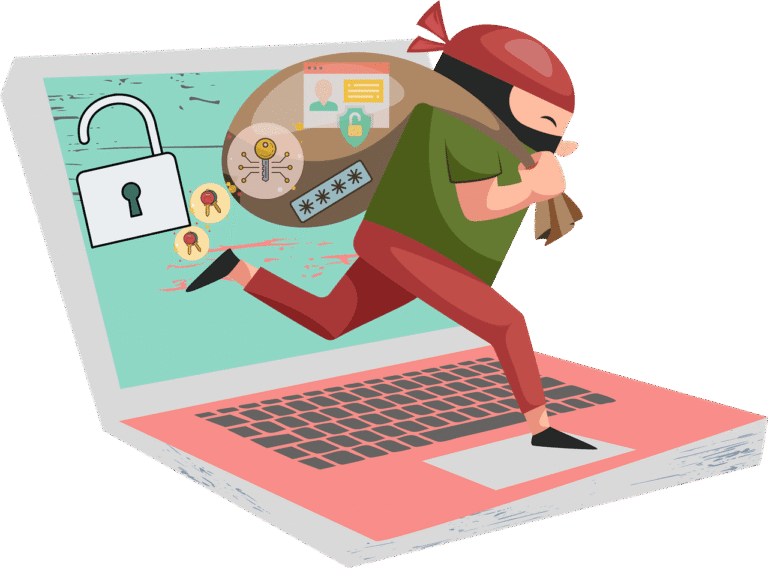
Somebody else’s breach. A member of staff signs up to a supplier portal, a training site or a webinar tool with their work email. That site gets breached. Their email and password end up on a list. If they used the same password for Microsoft 365, the list now holds a key to your business.
Phishing. A convincing email asks someone to sign in, and the page they sign in to belongs to the attacker. 85% of attacks start with phishing (DSIT Cyber Security Breaches Survey 2025). Logins caught that way can end up on the same lists.
Malware on a device. Some malware copies every saved password and every signed-in session from a browser and sends the lot off. A home PC that’s also used for work email is the classic way in. These logs are the most dangerous thing dark web monitoring finds, because they can include sessions that are already signed in.
What dark web monitoring finds, and what it can’t do
A typical report for a small business lists each work address that’s been seen, the breach or source it came from, the date, and what was exposed with it. Sometimes it’s a plain-text password. Sometimes it’s a scrambled (hashed) one. Sometimes it’s just the address.
Those finds aren’t equal, and the response to each one is different.
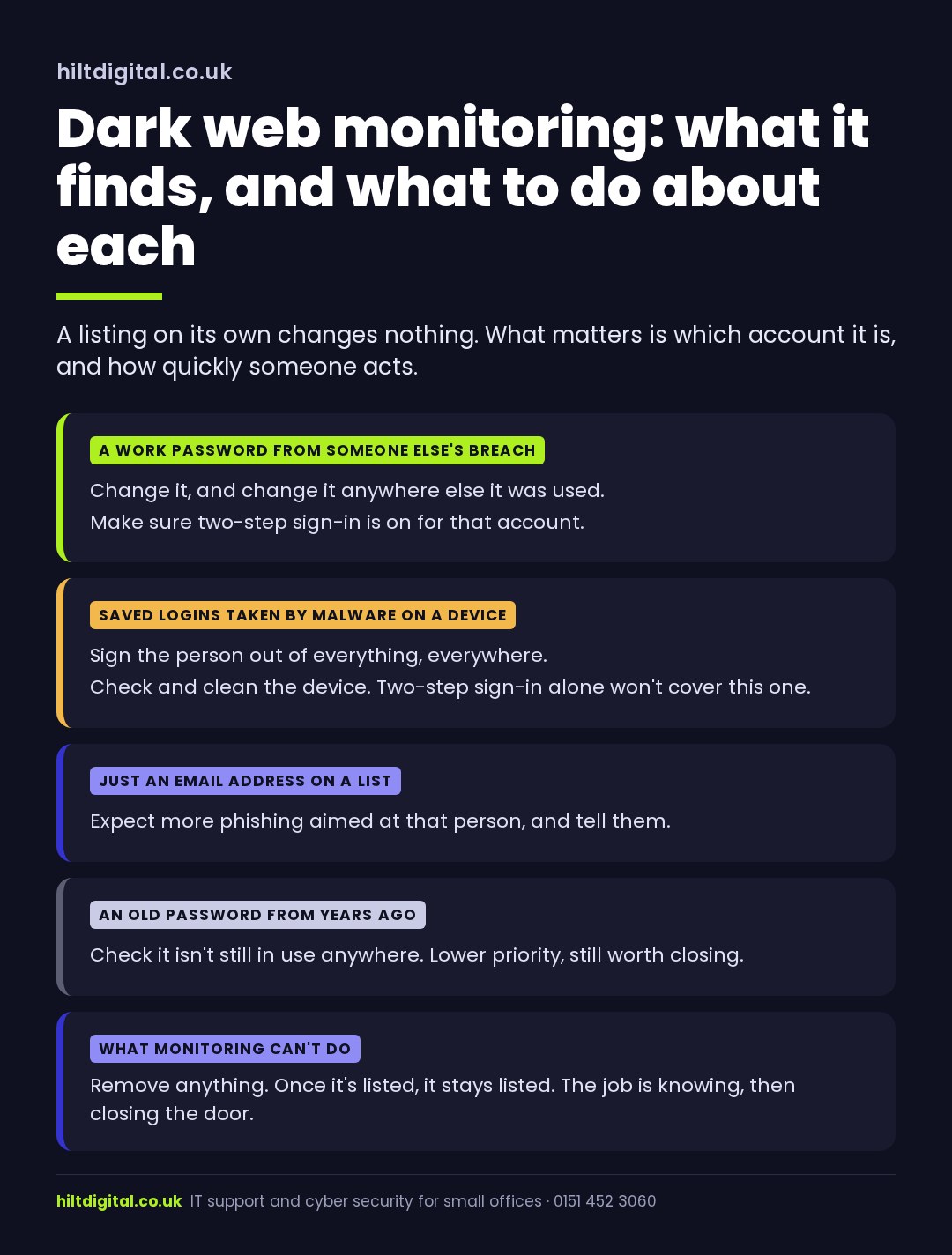
What dark web monitoring can’t do is remove anything. Once a list is out, it’s out, and it gets copied and resold. So the job was never to clean the dark web. The job is to make sure that nothing on those lists still opens a door.
Why a business needs dark web monitoring when most already have something out there
When I ran 39 UK small suppliers through the same check in August 2026, about three in four had at least one work address in a known breach. That’s what years of signing up to things with a work email looks like.
So “is our data on the dark web?” isn’t a very useful question. The answer is usually yes. The useful questions are these:
- Which person’s account is it?
- Is it recent, or a password from a site that was breached years ago?
- Is that password, or anything like it, still in use on Microsoft 365?
- Is two-step sign-in on for that account?
- Would anyone notice if someone signed in with it tonight?
That’s what dark web monitoring is for. Without it, a breach somewhere else is invisible until the day someone uses it, usually to send invoices from a real mailbox with new bank details on them. With it, you hear about the listing first, and closing it off is a ten-minute job.
It also helps when your cyber insurer asks how you’d know if a login had been stolen. Dark web monitoring, plus a note of what was done with each alert, is a straight answer.
Had an alert already? The step-by-step for the first hour is in your staff’s credentials are exposed: what to do. If it was a stolen session rather than a password, read why two-step sign-in can’t always save you.
What happens when dark web monitoring finds something
This is the part most sales pages skip. An alert is only worth something if someone acts on it the same day. In a Microsoft 365 business, that looks like this:
- Change the password on the work account, and on anything else that shared it.
- Sign the person out of every session, on every device, so a stolen login stops working.
- Check two-step sign-in is on, and that the phone or app it uses is really theirs.
- Look for mailbox rules that forward or hide email. That’s often the first thing an intruder sets up.
- If it came from malware, check and clean the device before it goes back on the network.
None of that needs the person to be in trouble. Their password was in someone else’s breach. The fix is quick when it’s done straight away, and much bigger when it’s found three months later.
Dark web monitoring on its own, or as part of looking after your IT
Dark web monitoring tools for business watch the whole domain, not one address at a time. They keep watching, and they include logs from malware that never reach public breach lists. The catch is that a tool on its own sends alerts to whoever set it up, and in a small office that’s often nobody in particular. An alert that sits in an inbox for a fortnight hasn’t protected anyone.
So here, dark web monitoring sits inside the job of looking after your IT. The people who get the alert are the people who can reset the password and sign the session out.
What Hilt Digital offers
A one-off credential exposure check. To see where you stand today, start the online exposure check. It takes about two minutes. Then I’ll run a real check on your domain and tell you what turned up and what to close first. It’s also part of the Free Cyber Health Check.
Ongoing dark web monitoring, inside managed IT. Our small business IT support is £55 a person a month. That includes breached-password monitoring, and account-takeover alerts that lock the account out automatically. It also covers antimalware with threat detection, email filtering, phishing practice, two-step sign-in, updates and tested backups. When an alert comes in, we act on it. Microsoft licences are billed separately.
Secured in 7 Days, or that month is on us.
Dark web monitoring for Cheshire, Wirral and Liverpool businesses
We’re based on the Wirral and work remote first. Monitoring, and the response to it, work the same for a practice in Chester as for an office in Warrington, Northwich or Birkenhead. If you’re a Cheshire business, you’ll also find our cyber security in Cheshire page useful. Further afield, it all happens remotely, and I’ll come out when it helps to meet in person.
Dark web monitoring: questions people ask
Is dark web monitoring worth it for a small business?
On its own, as an inbox of alerts nobody reads, not really. As part of someone looking after your accounts, yes: it turns a breach somewhere else into a ten-minute fix instead of a fraud you find out about from a customer.
Can you get our details removed from the dark web?
No, and be wary of anyone who says they can. Lists get copied and resold. What we can do is make sure every login on them is dead.
Does anyone at Hilt Digital go on the dark web?
No. The monitoring service gathers the listings. We get the results for your domain and act on them.
How is this different from the identity protection my bank offers?
Personal identity protection watches your own details: your card, your home address, your personal email. Dark web monitoring for business watches every address on your company domain, which is where the risk to the business sits.
We have two-step sign-in. Do we still need dark web monitoring?
Two-step sign-in stops most stolen passwords working, and it’s the single best thing you can turn on. It doesn’t help if a signed-in session was stolen by malware, or if one account was missed. Dark web monitoring is how you find out about both.
Where to start
If you’ve never looked, start by finding out what’s already out there. It takes two minutes.
Ring 0151 452 3060 and a person picks up, or start the online exposure check.