
IT support for manufacturers and engineering firms
IT Support for Manufacturers and Engineering Firms
IT support for manufacturers of up to 50 people: the office and the shop floor looked after as one, the old server that runs your ERP handled carefully, and help getting ready when a customer asks for Cyber Essentials. A person picks up in the working day, and the price is on this page.
£55 a person a month + VAT, every machine that person uses. Run to Cyber Essentials standards, by a founder with over twenty years from sole traders to the NHS, government and national infrastructure.
A customer wants Cyber Essentials before the contract renews? Readiness support is part of the monthly service. We get the machines and settings to the standard and give you the evidence; an accredited certification body does the assessment.
What IT support for manufacturing actually involves
IT support for a manufacturer is two jobs under one roof. There’s the office: email, Microsoft 365, the finance system, the laptops the sales team carry. And there’s the shop floor: the PCs by the machines, the job-card terminals, the Wi-Fi that has to reach the far end of the unit, and the server in the comms cupboard that the whole business quietly depends on. Most IT firms are happy in the office and nervous on the floor. Good manufacturing IT support treats both as one network, because that’s what they are.
That’s what our IT support for manufacturing companies is built around. We love working with manufacturers and engineering firms of up to 50 people. We understand what running a manufacturer asks of your IT: production that can’t stop for an update, an ERP that’s older than some of the staff, customers who send security questionnaires with their purchase orders, and a finance director who wants to know the monthly number before anything changes. So we help with everything you need, and we won’t recommend anything you don’t.
Whether you call it IT support for manufacturing, managed IT services for manufacturers or simply someone to ring when the shop-floor PC won’t print the traveller, it’s the same service. Nearly all of the IT support happens remotely, so it works the same for a fabrication shop in Warrington, an engineering firm in Cheshire or a manufacturer anywhere else in the UK.
Manufacturing IT support for the office and the shop floor
Here’s what IT support for manufacturers covers, from the front office to the far wall of the workshop.
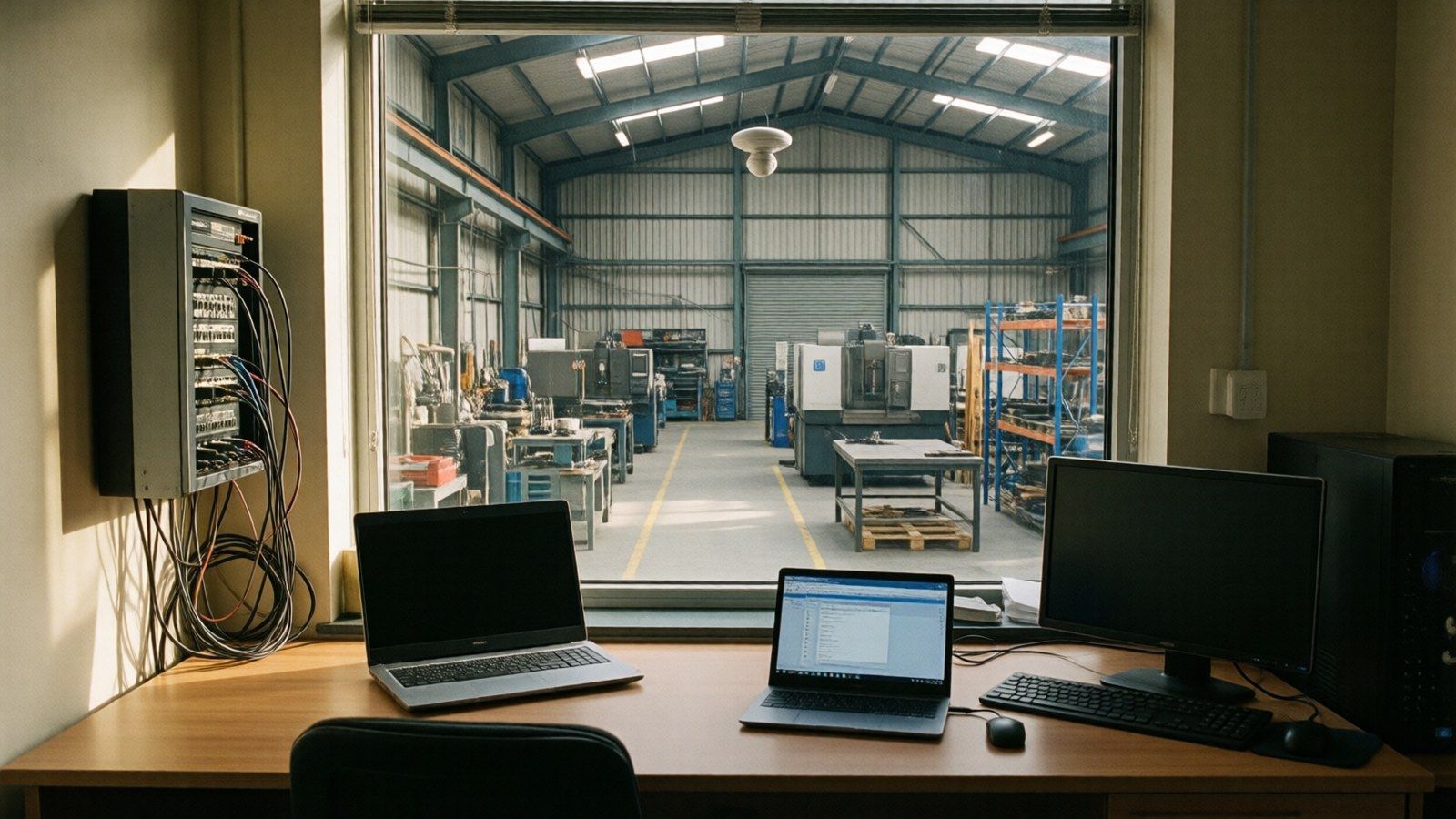
PCs on the shop floor
The machine-side PCs, the job-card terminals and the label printers get the same updates, protection and backups as the office laptops. Dust, cold and a shared login are allowed for; being forgotten about isn’t.
Wi-Fi that reaches the back of the unit
A big steel shed eats Wi-Fi. We work out where the signal drops, put access points where the work actually happens, and keep the visitors’ and machines’ Wi-Fi off the office network.
The network kit in the cupboard
The firewall, the switches and the cabinet nobody’s opened since the last IT firm left. We document what’s there, keep it updated and watched, and tell you before something’s due to fail.
The server running your ERP
Sage 200, Epicor, a bespoke MRP or something only the original developer understands. We look after the server it lives on and work with your software supplier when the application itself is the problem.
Backups you can bring back
The ERP database, the drawings and the job files are backed up off site and tested by actually restoring them. If the server dies, getting back is a known job, not a scramble.
Changes planned around your shifts
Updates, restarts and server work are booked with you, outside production runs, so nobody loses a machine halfway through a batch.
IT support for the old server that runs your manufacturing ERP
Plenty of manufacturing businesses have one: a server bought years ago to run the ERP, MRP or stock system, which still works and which everyone’s slightly afraid of. It’s often running Windows Server 2016 or older. Microsoft stops security updates for Server 2016 on 12 January 2027, and a customer’s security questionnaire will usually ask whether everything you run still gets them.
We don’t touch it until we understand it. The first step is an assessment with your software supplier: what version of the ERP you’re on, what it needs underneath, whether the supplier supports a newer server or their own cloud version, and what the licences allow. Only then do we put the options in front of you, with costs, and you choose.
The options are the same four that apply to any small business server. We set them out in our guide to Windows Server 2016 end of support and what to do about it: move the files to Microsoft 365 and retire the server, move the workload to Azure, replace or upgrade the server, or buy time with Extended Security Updates. For a manufacturer the ERP usually decides which one fits, which is why the supplier is in the room from the start. Whatever’s chosen is planned around production, and the old server stays in place until the new one has been proven.
When a customer or a tender asks for Cyber Essentials
It usually arrives with a contract renewal or a new tender: the customer wants proof you hold Cyber Essentials, or Cyber Essentials Plus, before they’ll sign. In some supply chains it’s now a condition of doing business, not a nice extra.
For manufacturers on our monthly IT support, Cyber Essentials readiness support is included. Cyber Essentials is the baseline we work to anyway, so we get the machines, accounts and settings to the standard, help you answer the assessment questions, and give you the evidence. We’re not assessors. An accredited certification body carries out the assessment and issues the certificate, and its fee is paid to them.
If machines need bringing up to the standard first, that’s quoted before anything is done. The usual culprits are PCs on Windows Home, Office Home and Student used for work, unlicensed copies of Office and shop-floor PCs that stopped getting updates years ago. You’ll see the list and the cost before you decide.
Read more about how manufacturing IT support and managed cyber security work together, or about supply chain cyber security from the customer’s side of the table.
Manufacturing supply chain questionnaires, answered from one record
The bigger your customers, the longer the questionnaire, especially if you supply into automotive, aerospace, food or defence manufacturing. Do you use two-step sign-in? Are your backups tested? Are your machines encrypted and patched? Who has admin access? In your first month we write down what’s in place, and from then on we give you the technical answers and the evidence for each questionnaire. You read them, you sign, and you send it back. The same goes for your cyber insurer’s proposal form.
The protections behind those answers are part of the £55 a person a month + VAT:
- Two-step sign-in on every Microsoft 365 account, and access that ends the day someone leaves.
- Email filtering that stops fake invoices and bad attachments before anyone sees them, with optional phishing practice for staff.
- Endpoint protection on every PC and laptop, including the ones on the floor. A machine that starts behaving like it’s been compromised is isolated automatically, so one bad click stays on one machine.
- Breached-password (dark web) alerts and alerts on unusual Microsoft 365 and Entra sign-ins, including sign-ins to other systems that use your Microsoft login.
- Updates on a schedule, with critical ones inside the 14 days Cyber Essentials asks for, timed around production.
Cyber security for manufacturers is part of the IT support, not a second firm. It matters because the attacks manufacturing businesses get are rarely clever. 85% of attacks start with a phishing email (DSIT 2025), and a hijacked mailbox sending your customer a “change of bank details” letter is exactly the sort of thing a supplier questionnaire exists to catch.
Backups and recovery when production can’t stop
In an office, a dead server is an annoying day. In manufacturing it’s worse. On a production floor it can mean no job cards, no stock picture and no dispatch notes, with a lorry waiting outside. So manufacturing IT support starts with the question: if this box died at 7am, how long until the floor is working again, and is that acceptable?
We answer it with you, then build to it. Backups run daily off the server and off site, and they’re tested by restoring something real, not by reading a green tick. Monitoring watches the disks, the backup jobs and the server’s health, so a failing drive gets swapped on a planned day rather than discovered on a busy one. And the recovery steps are written down, so the plan doesn’t depend on any one person remembering it.
Create my custom estimate
What would IT support cost your business?
Move the slider to your headcount. We specialise in teams of up to fifty people, with no minimum. The figure is what you'd pay us each month.
Your estimate
£275 a month + VAT
£330 a month including VAT. About £12.50 a working day for the whole team.
Your server is priced per box once we've seen what it does, and you'd know that figure before agreeing to anything.
- Support, Microsoft 365 looked after, cyber security and tested backups, all in the figure
- No set-up fee for the monthly support
- Price fixed for your first 12 months, then rolling with 30 days' notice and no exit fees
- Our 90-day promise: we'll do what we said we would. If we don't, and can't put it right, you can leave and only pay for the months you've had
- Secured in 7 Days, or that month is on us
Got it. We'll send your estimate and come back to you the same working day. Urgent? Ring 0151 452 3060.
That didn't send. Ring 0151 452 3060 and a person picks up, or email [email protected].
More than fifty people? Ring 0151 452 3060. Microsoft 365 prices are a person a month, about Microsoft's UK list price, paid yearly, before VAT; check Microsoft's current price at sign-up. You pay Microsoft, not us.
£55
a person, a month, plus VAT
Every machine that person uses, in the office or on the floor. For a manufacturer of 25 people that’s £1,375 + VAT a month. Servers and network kit, like the ERP server, the firewall and the switches, are priced per box on top, only where they need looking after, and you’ll see that number before you agree to anything. Microsoft 365 licences are paid to Microsoft at their price.
IT support for manufacturers
Servers and network kit per box. Microsoft 365 licences extra.
Price and terms
What you pay, and what’s never extra
- £55 a person a month + VAT
- Every machine that person uses. Registered charities pay £35 a machine.
- Microsoft 365 licences
- Paid to Microsoft, at Microsoft’s price.
- Servers and network kit
- Priced per box, and only where they need looking after.
- No set-up fee
- There’s no set-up fee for the monthly support.
- Price fixed for 12 months
- Your price is fixed for the first 12 months, then it’s rolling with 30 days’ notice and no exit fees.
- Secured in 7 Days, or that month is on us
- If you’re not set up and secured inside seven days, you don’t pay for that month. If we’re waiting on access or a decision, the clock pauses.
- Our 90-day promise
- We’ll do what we said we would. If we don’t, and can’t put it right, you can leave and only pay for the months you’ve had. It covers the monthly managed service; one-off projects are finished work you keep.
Never an extra charge
- Remote helpdesk support
- Password resets
- Starters and leavers
- Routine updates to your existing Microsoft 365 services
- Calls to your software vendor
Quoted first, so you know before it’s done
- New Microsoft 365 services, for example Purview or a Copilot roll-out
- Projects and migrations
- Hardware
- Site visits beyond set-up, and planned work. Set-up visits are included
Switching your manufacturing IT support without stopping the floor
Changing IT support provider shouldn’t cost a manufacturer a day of production. Tell us when your current IT support agreement ends and we’ll plan the start around it, so you’re not paying two providers by choice. Billing starts from the month we onboard you.
A fifteen-minute call
How many people, how many machines on the floor, what the ERP runs on, and whether a customer is waiting on Cyber Essentials. You’ll have a monthly number by the end of it.
Two things from you
Access to your systems, and notice to the outgoing provider. We’ll draft the notice and the request for your admin passwords, and deal with them from there.
The seven days
Protection and monitoring go on, backups start and get tested, and the first security checks run, all booked around your shifts. If we’re waiting on access or a decision, the clock pauses. Secured in 7 Days, or that month is on us.
Who provides your IT support
“I’ve spent over twenty years supporting and designing the right systems for the right businesses, from local sole traders (back when I ran a PC repair shop) up to the NHS, government and national infrastructure.”Eric Lonsdale, founder and director of Hilt Digital
Hilt Digital is a small team, set up to be lean but efficient, with a named owner accountable for every client. Your setup is written down in the first month. Your own emergency admin accounts stay yours, and we manage on your behalf with ours.
Already have an IT person or a provider you’d rather keep? Co-managed support keeps what works and adds what’s missing, often the security, the Cyber Essentials evidence and the server project.

IT support for manufacturers: questions people ask first
Do you look after the PCs and Wi-Fi on the shop floor as well as the office?
Yes. Every machine a person uses is covered, in the office or on the floor: shop-floor PCs, job-card terminals, laptops, and the Wi-Fi and network they run on. The controllers built into your production machines belong to the machine maker; we work with them when the problem is where their kit meets the network.
Our ERP runs on an old server. Can you support it?
Yes. We look after the server it runs on and deal with your software supplier when the application is the problem. If the server is on Windows Server 2016 or older, we assess it with the supplier first, then give you the options and the costs before anything changes. Server 2016 security updates end on 12 January 2027.
A customer wants us to have Cyber Essentials. Can you get us through it?
We get you ready, and for clients on our monthly support that readiness support is included. We’re not assessors: an accredited certification body does the assessment, issues the certificate and charges its own fee. If any machines or software need bringing up to the standard first, such as Windows Home or unlicensed Office, that’s quoted before any work starts.
Will you fill in our customers’ supplier security questionnaires?
We give you the technical answers and the evidence for every question, taken from the written record of what’s in place that we produce in your first month. You read it, sign it and send it, because it’s your company making the statement. The same applies to your cyber insurance proposal form.
How much does IT support for a manufacturer cost?
£55 a person a month + VAT, covering every machine that person uses. A 25-person manufacturer pays £1,375 + VAT a month. Servers and network kit are priced per box, only where they need looking after, and Microsoft 365 licences are paid to Microsoft at their price. You’ll know the whole number before agreeing to anything.
What happens if the server or network fails during a shift?
You ring and a person picks up in the working day. Most problems are fixed remotely while you’re on the phone. Because the backups have been tested by restoring them, getting a failed server back is a planned job with known steps. If a visit is the right fix, we’ll arrange one.
Can updates and changes be done around our production hours?
Yes. Updates, restarts and server work are booked with you around your shift pattern, so a machine-side PC doesn’t restart halfway through a run. Critical security updates still go on inside the 14 days Cyber Essentials expects.
Do you only work with manufacturers in Warrington and the North West?
No. We’re based on the Wirral and closest to Warrington, Cheshire, Liverpool and the North West, but nearly all of the support is remote, so we can look after a manufacturer anywhere in the UK. Visits are for set-up and planned work, and they’re booked in.
Ask us to ring you
Fifteen minutes on the phone about your office, your floor and your server. A straight answer, and the number.
That didn’t send. Ring 0151 452 3060 instead, or email [email protected].
Read before you ring anyone
We’re new to selling managed support, so there isn’t a wall of reviews yet. What we can show you is how the work is done: the seven-day setup checklist lists every stage, what pauses the clock and what the week doesn’t cover.
Windows Server 2016 end of support
The date, what changes on it, how to check, and the four ways out for an old server.
What IT support costs a small business
How providers price it, what belongs inside the number, and where invoices tend to grow.
Switching IT provider, step by step
What to check before you give notice, and how the handover week really goes.
Manufacturing IT support in Warrington, Cheshire, the North West and across the UK
Hilt Digital is based on the Wirral, so the manufacturers and engineering firms closest to us are in Warrington, Runcorn and Widnes, Ellesmere Port, Chester and the rest of Cheshire, Liverpool and across the North West. The service doesn’t change with distance. You ring for IT support, a person picks up, and most fixes are done on your screen while you watch; anything in writing gets a reply the same working day where we can. Visits are for set-up and planned work, like new Wi-Fi in the unit or a server being replaced, and they’re booked in. That’s why we can provide IT support for manufacturing firms in the Midlands, Yorkshire or the South just as well. See also IT support in Cheshire and cyber security across Cheshire and Warrington.
Ring 0151 452 3060 and a person picks up
IT support for manufacturers and engineering firms of up to 50 people, from £55 a person a month + VAT. The office and the shop floor looked after as one, the ERP server handled with care, and the Cyber Essentials evidence ready when your customer asks.