
Business continuity planning for Liverpool businesses: a plan you can actually use
Short answer: business continuity is your plan for keeping the business working when something stops it. That might be the office, the internet, a laptop, a supplier or your data. For a small Liverpool business, a business continuity plan fits on two sides of paper. The part that most often lets people down is the backup nobody has ever tried to restore.
Most business continuity guidance you’ll find for Liverpool is written for councils and big companies, with risk registers and steering groups. You don’t need any of that. You need to know what has to keep going, who does what on the bad day, and how your data comes back. This guide covers all three, plus the first hour of an incident and what your insurer will ask.
Not sure your backups would actually restore? The Free Cyber Health Check is six questions and takes about two minutes, and it tells you where you stand. Or ring 0151 452 3060 and talk it through with a person.
What business continuity covers for a small business
Business continuity is broader than IT, but IT sits under almost every part of it. These are the things worth planning for, roughly in the order they tend to happen:
- Losing the building. A fire, a flood, a burst pipe, or simply no access for a week.
- Losing the internet or phones. The most common disruption, and usually the shortest.
- Losing a laptop. Dropped, stolen, or it just won’t start on a Monday.
- Losing data. A deleted folder, a wiped mailbox, or ransomware locking everything at once.
- Losing a person. The one who knows the passwords, runs payroll or holds the supplier contacts is off sick, or leaves.
- Losing a supplier. Your software provider, your IT provider or your payment system goes down.
Those last two are the ones plans tend to miss. A business continuity plan that only covers fire and flood leaves out the disruptions you’re most likely to have.
It’s not a remote risk, either. In 2025, 43% of UK businesses reported a cyber breach or attack (DSIT Cyber Security Breaches Survey 2025). A cyber incident is a business continuity event, and it’s the one most likely to arrive without warning.
How to write a business continuity plan in an afternoon
A small business continuity plan has six parts. Write them in plain English and keep it short enough that people will read it. Store a copy somewhere that doesn’t need your own systems to be up.
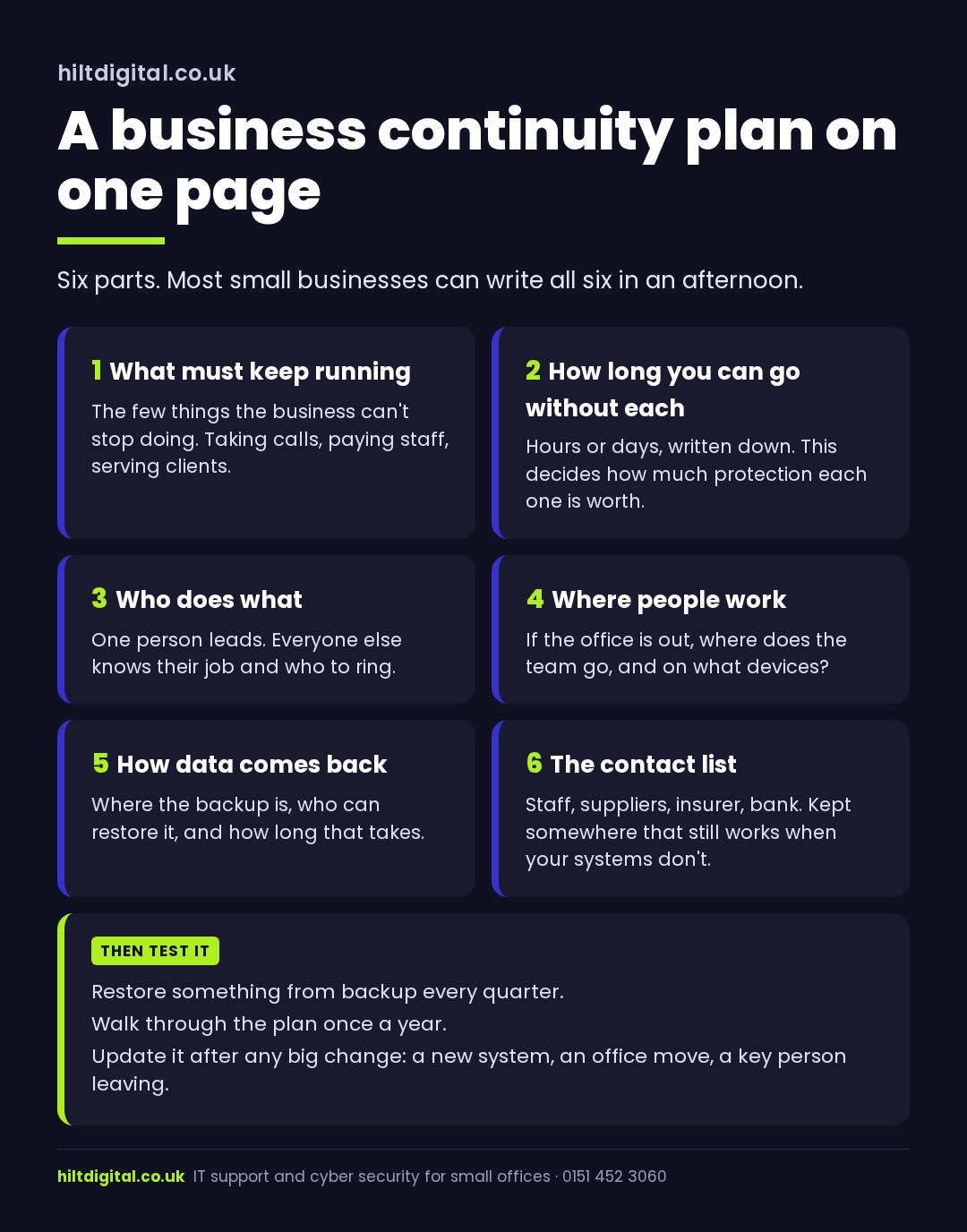
1. What must keep running. List the few things the business can’t stop doing. For most offices that’s answering the phone, getting to client files and email, paying staff and taking payment. Everything else can wait a day.
2. How long you can go without each one. Put a number on it. Email might be “half a day”. Payroll might be “until the 25th”. This is the most useful line in the whole business continuity plan, because it tells you where to spend money and where not to.
3. Who does what. Name one person to lead when something goes wrong, plus a deputy. Write down who rings the IT provider, who tells staff, who speaks to clients and who rings the insurer.
4. Where people work. If the office is out, can the team work from home, or from another site in Liverpool? Do they have laptops, or only desktops bolted to their desks? If your files and email are in Microsoft 365, people can usually carry on from anywhere with a working laptop and a sign-in.
5. How data comes back. Where’s the backup, who can restore from it, and how long does a restore take? If nobody can answer the last question, that’s the first thing to fix.
6. The contact list. Staff mobiles, key suppliers, your insurer’s claims line, the bank, your IT provider. Print it, or keep it on your phone. A list that lives on the server you’ve just lost is no use on the day you lose it.
The first hour of a business continuity incident
When something does go wrong, the first hour decides how the next week goes. You won’t remember a long document under pressure, so keep this part to a few lines:
- Say it’s an incident. Someone has to decide “this is a business continuity incident” out loud. Until they do, everyone keeps trying to fix it alone.
- One person leads. The person named in your plan takes over. Everyone else waits for instructions instead of guessing.
- Stop it spreading. If it looks like ransomware or a hacked account, unplug the affected machine from the network. Don’t turn it off, and don’t wipe anything yet.
- Ring the right people. Your IT provider first, then your insurer. Many cyber policies come with an incident line, and some expect you to call it before you do anything else.
- Tell staff where to work. Home, another site, or “stand by”. Silence is what makes people start using personal email to get things done.
- Keep a log. Times, what you saw, what you decided. If personal data may have been exposed, UK GDPR gives you 72 hours to report it to the ICO. Your insurer will want the same timeline.
Want the backup and recovery side built and tested for you? See business continuity and disaster recovery. If you’re over the water or in the county, there’s business continuity on the Wirral and business continuity in Cheshire.
Data backup: where most business continuity plans fail
Nearly every business has a backup running somewhere. Far fewer have ever watched one come back. Running and restoring are different claims, and only one of them helps you on the bad day.
Three things to check, whatever size you are:
Is there a copy ransomware can’t reach? If your backup sits on a drive plugged into the same network, ransomware can encrypt it along with everything else. You want at least one copy kept separately, usually a cloud backup with its own sign-in.
Is Microsoft 365 actually backed up? Microsoft keeps your email and files running, and deleted items stay in a recycle bin for a while. That isn’t a backup you control. Say someone deletes a SharePoint library, or a leaver’s mailbox is removed. What you can get back depends on settings most businesses have never looked at. A separate Microsoft 365 backup closes that gap.
Has anyone restored something? Pick a file, a folder or a mailbox and bring it back. Time how long it takes. That number goes in part five of your plan. If the answer is “we’ve never tried”, your business continuity plan is resting on a guess.
For a simple backup setup for a small office, see backup and recovery plans every small business needs. To put a figure on a lost day, see the cost of downtime for a small business.
How often to test your business continuity plan
Until you’ve tested a business continuity plan, you don’t know if it works. Testing doesn’t have to be a big exercise:
- Every quarter: restore something real from backup and write down how long it took.
- Once a year: sit round a table for half an hour and talk through one scenario. “It’s 9am Monday, the internet’s down and the phones are dead. What happens?” You’ll find the gaps in about ten minutes. The NCSC’s Exercise in a Box tool has ready-made scenarios if you’d rather not invent one.
- After any big change: a new system, an office move, a new IT provider, or the person who knows everything leaving.
What your insurer will ask about business continuity
62% of small businesses now hold cyber insurance (DSIT Cyber Security Breaches Survey 2025), and the proposal forms have got more detailed. Expect questions like these. Are backups kept apart from your main network? Have you tested a restore? Is multi-factor sign-in on for email? Do you have a written incident plan?
A short business continuity plan, a backup that’s been restored, and a log of when you tested it answers most of those in one go. It also makes a claim much easier if you ever need to make one.
Business continuity support in Liverpool
We look after Liverpool businesses from the Wirral, working remotely first, so help doesn’t depend on anyone driving through the tunnel. For business continuity that means designing backup and disaster recovery across your laptops, Microsoft 365 and any servers or cloud systems you run. Then we test a full restore every quarter and show you the results. It’s quoted at a fixed price before we start, and you deal with Eric, the person who does the work. That’s the same whether you’re in the city centre, Speke or Allerton.
If you’d rather start with the plan and handle the IT yourself, the six parts above will get you most of the way there. If you’d like a second pair of eyes on it, or someone to make sure the backup part actually works, that’s what we do. More on IT support in Liverpool.
Where to start this week
Two jobs, both under an hour. Write down the three things your business can’t stop doing and how long you could go without each. Then restore one file from your backup and time it. Those two lines are the start of a real business continuity plan, and they’ll show you very quickly whether the rest needs work.
Ring 0151 452 3060 and a person picks up. Or take the Free Cyber Health Check and find out in two minutes whether your backup would come back.