Endpoint protection in Cheshire: what every laptop and phone in a small office needs
Short answer: endpoint protection is the security that lives on each device your team uses. That’s every laptop, desktop and phone that opens company email or files. For a small office in Cheshire it comes down to six checks on every device, and one place to see all six without walking round the office.
“Endpoint” is the trade word for a device at the edge of your business. It’s where a person meets your data. Endpoint security is the job of keeping those devices safe. Endpoint management is how you keep them safe week after week without touching each one. You need both. Protection that nobody checks slowly drifts. A managed device with no protection is just a tidy target.
Running a Cheshire office and not sure what’s on your team’s laptops? Ring 0151 452 3060 and I’ll tell you which of the six checks below are worth looking at first. Or see how managed cyber security covers every device for you.
What endpoint protection actually does on a device
Old-style antivirus kept a list of known bad files and blocked them. That still matters. But attackers change their files faster than any list can keep up. Modern endpoint protection watches what a program does. Say something starts locking up hundreds of files a minute, or a Word file tries to run commands. The protection stops it, cuts the device off from the network, and tells a person.
That watching part is called detection and response. It’s what turns “the antivirus didn’t spot it” into “the laptop stopped it anyway”. For a small business it’s the most useful part of endpoint security. It works even if nobody has seen that attack before.
Most attacks still start with a person. Phishing was behind 85% of the breaches UK businesses reported in 2025 (DSIT Cyber Security Breaches Survey). Endpoint protection catches the click that gets through: the attachment that runs, or the fake login page that drops something on the laptop.
The six endpoint security checks every Cheshire office needs
Whether your office is in Chester, Warrington, Macclesfield or Crewe, the list is the same. Every endpoint that touches company data should pass all six.
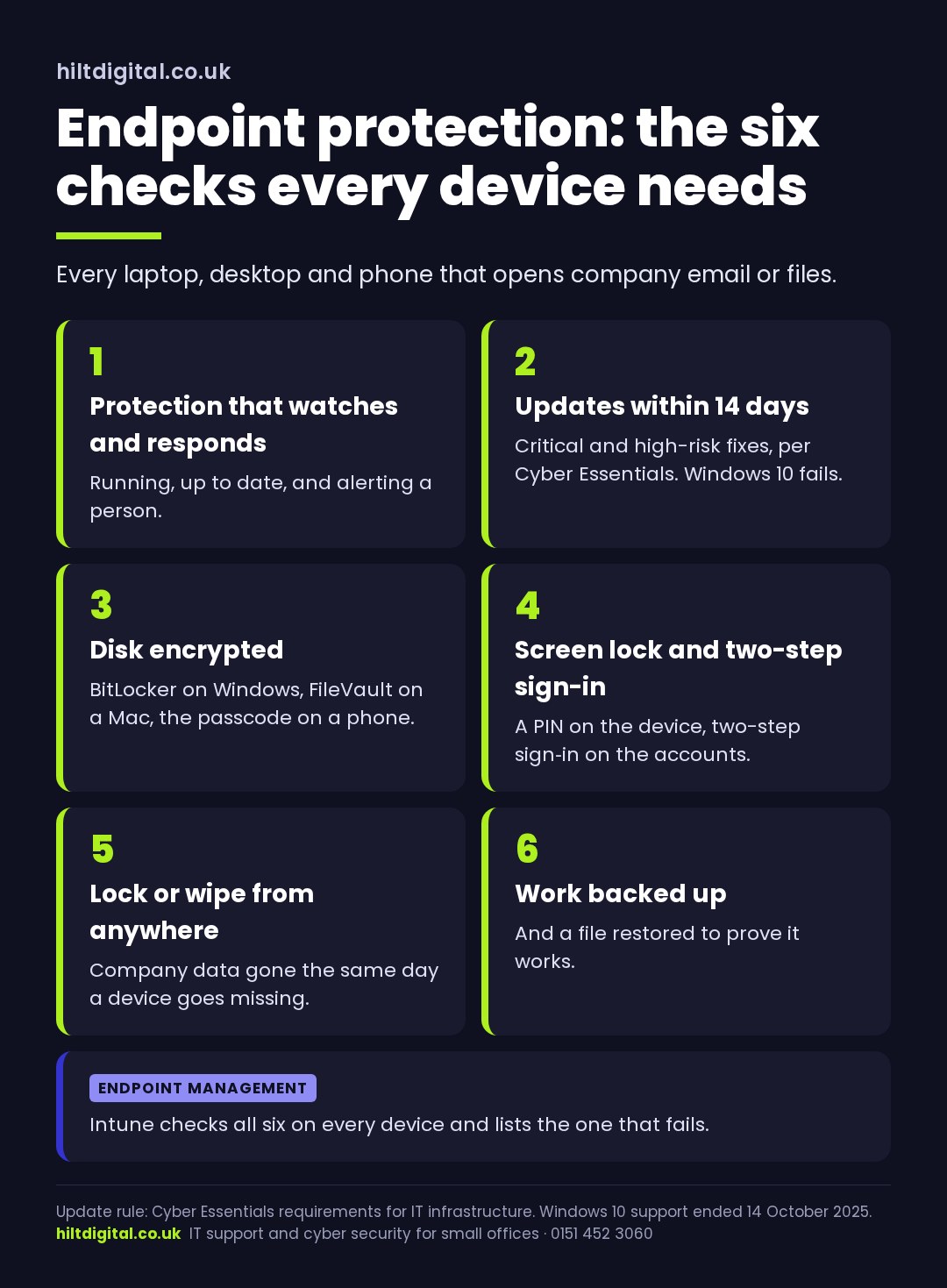
1. Protection with detection and response. Running, up to date, and reporting to somebody. A device whose protection was switched off three months ago looks exactly like a protected one until something goes wrong.
2. Updates within 14 days. Cyber Essentials asks for critical and high-risk security updates to be installed within 14 days of release. That includes Windows, the browser, Office and anything else on the device. Windows 10 stopped getting security updates as standard on 14 October 2025. Any Windows 10 laptop still in use fails this one.
3. The disk is encrypted. If a laptop is left on a train, encryption is what turns a data breach into a hardware bill. On Windows that’s BitLocker, on a Mac it’s FileVault, and on a phone it comes with the passcode.
4. A screen lock and a proper sign-in. A PIN or password on the device, and two-step sign-in on the accounts it opens. Only 40% of UK businesses use two-step sign-in (DSIT 2025). How that’s set up for Microsoft 365 is covered on our Microsoft Entra ID page.
5. You can lock or wipe it from anywhere. When a phone goes missing or someone leaves, the company data on it should be gone the same day, without needing the device back.
6. The work on it is backed up. Files saved only to the desktop are one spilt coffee away from gone. Work should live in OneDrive or SharePoint, or the device should be backed up. And someone should have restored a file to prove it works.
Endpoint management: how you check all six without visiting every desk
Six checks on ten devices is sixty things to keep true, every week. Nobody does that by hand for long. Endpoint management does it for you. For most small offices on Microsoft 365, the tool is Microsoft Intune.
Intune holds the rules: encrypt the disk, install updates, ask for a PIN. It applies them to every device it manages. It also shows which devices are breaking a rule, and that’s the useful bit. You stop hoping every laptop is encrypted. You have a list that says it is, and a name next to the one that isn’t.
Intune can also stop a device that fails the checks from opening company email or files until it’s fixed. It’s one of the simplest bits of endpoint security a small business can switch on.
Intune comes with Microsoft 365 Business Premium, along with Microsoft’s own endpoint protection for businesses. Business Basic and Business Standard don’t include it. Worth knowing before anyone quotes you for a separate endpoint management product.
Want all six checked and kept that way? Endpoint protection with detection and response, updates, encryption, device management and tested backups are all part of IT support from £55 a person a month. Microsoft licences are billed separately. See managed cyber security, or ring 0151 452 3060.
Phones and personal devices count too
If a phone opens company email, it’s an endpoint. That’s true if the business bought it, and true if it’s the person’s own phone. Under Cyber Essentials, a personal phone that reaches work email or files is in scope. It needs to pass the same checks: a supported system, updates and a screen lock.
Nobody wants to hand their own phone over to the company. Intune can manage just the work apps on a personal phone, like Outlook and Teams, and leave photos and messages alone. If the person leaves, the work data goes and their own stuff stays. We’ve written more about whether staff should use personal devices for work.
Endpoint protection in Cheshire: what’s local and what isn’t
Very little about endpoint protection is local. The threats are the same in Northwich as in London. The protection runs from the cloud, so a laptop in Cheshire is looked after just like one anywhere else.
What matters in Cheshire is how people work. Plenty of Cheshire offices have staff split between home, the office and client sites. That’s where endpoint security earns its keep, because half the devices aren’t sitting behind the office network.
For offices in Cheshire, Wirral and Liverpool, the work is done remotely, so nobody needs to bring a laptop in.
An endpoint security checklist for your own devices
- Do you have a list of every laptop, desktop and phone that opens company email?
- Is endpoint protection running on all of them, and does an alert go to a person?
- Is anything still on Windows 10?
- Are updates installing within 14 days, and how would you know if one wasn’t?
- Is every laptop disk encrypted?
- If a phone went missing tonight, could you wipe the company data on it tomorrow morning?
- When did someone last restore a file from backup?
If you can answer all seven from a report, your endpoint security is in good shape. If most answers are “I think so”, that’s normal for a small office in Cheshire or anywhere else. It’s the gap endpoint management closes.
Where to start
Start with the list of devices. The protection, the updates and the encryption all hang off knowing what you’ve got. Once every endpoint is managed and reporting, the six checks look after themselves. Only the problems come to you.
Want that done for you, in Cheshire or anywhere in the UK? It’s part of managed cyber security, run to Cyber Essentials standards. Secured in 7 Days, or that month is on us. Ring 0151 452 3060 and a person picks up.